Most failures need nothing from you. A node that crashes catches up from the leader when it starts again. A leader that gets SIGTERM hands its job to a peer before it stops. A node that was away too long gets a snapshot from the leader, exits with code 75, and loads it when it starts again. This section is for the rest: a lost disk, a lost majority, a full disk, a bad day.
Start with a write
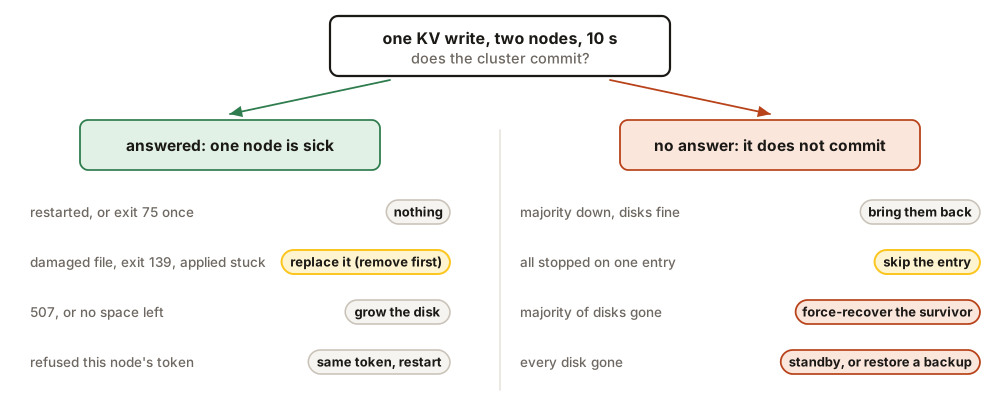
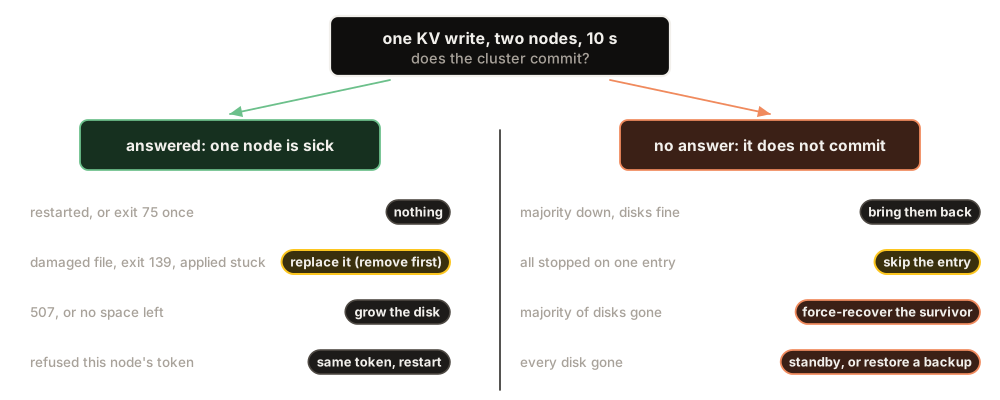
The question that decides everything is whether the cluster can still commit. Ask it with a write, through two different nodes, because a node that is itself broken can hang while the cluster is fine:
curl -s -m 10 -X PUT http://10.0.0.11:6632/api/v1/kv/ops/probe \
  -H 'content-type: application/json' -d '{"value":"probe","ttlSeconds":60}'
An answer within a second means the cluster commits, and you are looking for one sick node. No answer within ten seconds means it does not. Then ask every node what it thinks, and the leader who the members are:
for n in 10.0.0.11 10.0.0.12 10.0.0.13; do
  echo "$n $(curl -s -m 2 http://$n:6632/health | jq -c '{status, role: .raft.role,
    term: .raft.term, applied: .raft.applied, commit: .raft.commit}')"
done
curl -s http://10.0.0.11:6632/api/v1/system/raft/membership \
| jq -c '.membership | {leader, voters, members: [.members[] | {nodeId, live, lag}]}'{"leader":2,"voters":[1,2,3],"members":[{"nodeId":1,"live":true,"lag":0},
{"nodeId":2,"live":true,"lag":0},{"nodeId":3,"live":true,"lag":0}]}On a healthy cluster every node reports the same term, and an applied close to the leader’s commit. A node that will not start says why in its last FATAL line, in docker logs or kubectl logs --previous.
Rules for a bad day
Each of these comes from a test where breaking it made things worse.
- One node at a time. Change a node, wait until it is healthy, then touch the next.
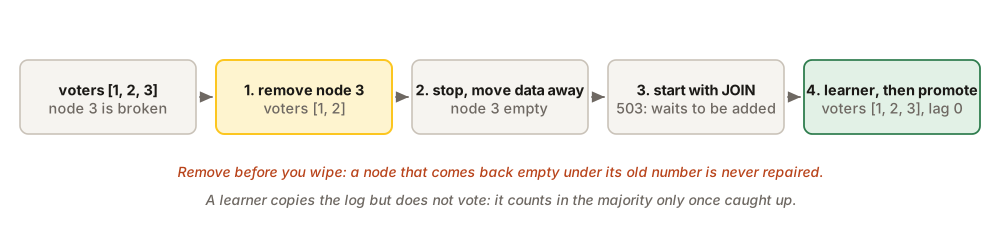
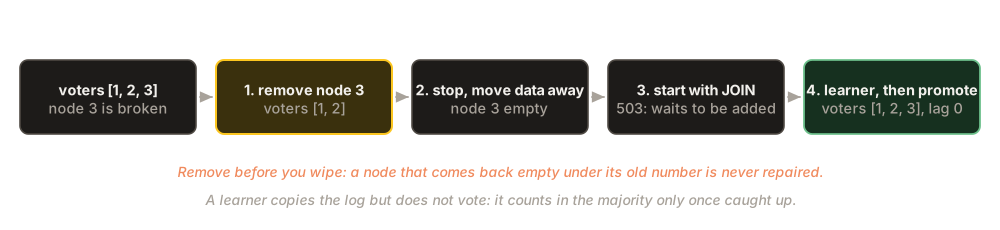
- Remove a node from the members before you wipe its disk. A node that comes back empty under its old number is never repaired, and requests sent to it hang.
- Never put an old copy back on one node of a running cluster. Its log went backwards, which is the same trap. Replace the node instead.
- Never delete files in a data directory to make room. A missing file is not noticed at start, and the node then serves holes. Grow the disk, or replace the node.
- Force a recovery on exactly one node, and only when a majority is gone for good. On two nodes it makes two clusters.
- Keep
QUEEN_ENCRYPTION_KEYsafe and unchanged. With another key, consumers of encrypted queues get the encrypted envelope as their data, and nothing reports an error.
Find your case
| What you see | What to do |
|---|---|
| A node restarted, and is healthy again | Nothing |
| A node exited once with code 75 | Nothing: it loaded a snapshot |
A node will not start: a FATAL line names a damaged file, or it exits with code 139 and no line |
Replace the node |
A node answers, but its applied stays at 0 or far behind |
Replace the node, starting with its removal |
Writes to one node answer 507, or it is stopped with no space left |
Grow its disk |
A node logs refused this node's QUEEN_RAFT_TOKEN |
Give it the same token, restart it |
| A majority of the nodes is down, their disks intact | Bring them back |
| A majority of the disks is gone for good | Force a recovery on the survivor |
Every node stopped on the same entry (APPLY FAILED) |
Skip the entry |
| Every disk is gone | Promote the standby, or restore a backup |
Replace a node
This is the procedure you will use most. The node comes back empty and copies everything from the leader, so nothing is lost while the other two commit. Check first that the probe commits through another node.
# 1. Remove node 3 from the members, through a healthy node.
curl -s -X DELETE http://10.0.0.11:6632/api/v1/system/raft/membership/members/3
# 2. On node 3: stop it and move its data away.
docker stop -t 60 queen && docker rm queen
mv /var/lib/queen /var/lib/queen.broken
# 3. Start it on an empty directory: the same docker run, plus -e QUEEN_RAFT_JOIN=true
# 4. Add it back as a learner, then make it a voter.
curl -s -X POST http://10.0.0.11:6632/api/v1/system/raft/membership/learners \
  -H 'content-type: application/json' \
  -d '{"id":3,"raft":"10.0.0.13:7400","http":"10.0.0.13:6632"}'
curl -s -X POST http://10.0.0.11:6632/api/v1/system/raft/membership/promote \
  -H 'content-type: application/json' -d '{"ids":[3]}'
Step 1 answers "ok":true with the voters left, [1,2]. A 409 no_quorum means too few nodes are live: stop, and look again. At step 3 the empty node answers 503 and logs this fresh node joins an existing cluster: QUEEN_RAFT_JOIN makes it wait to be added instead of starting a cluster of its own. A learner copies the log but does not vote; if the promotion answers 409 learner_behind, it is still copying, so try again a few seconds later. It is done when the members list three voters with lag 0. On the operator, one annotation does all four steps (pod queen-2 is node 3): kubectl -n queen annotate queencluster queen queenmq.com/replace-pod=queen-2.
A majority is down, the disks are fine
Two nodes of three are gone for a while: a lost machine, a zone outage, an image that will not pull. Nothing commits, and the survivor answers 503. Bring the missing nodes back, and do nothing else: do not delete a volume, and do not force a recovery. As soon as two nodes run, they elect a leader. When we stopped two nodes of three and started one of them again, the very next write committed.
A disk is full
At 85% a node refuses its own clients’ writes, but entries accepted by the other nodes keep arriving. At 100% it logs No space left on device and stops; the other nodes keep serving. Grow its volume and restart it: it catches up on its own. Then grow the other volumes too, because they hold the same data, and turn on retention for the biggest queues.
A majority of the disks is gone for good
The majority will never come back, so the cluster can never elect a leader again. QUEEN_RAFT_FORCE_RECOVER is the way out. Set on the one survivor, it makes that node the only voter, and it leads alone. The others are rebuilt empty and join it.
- Restart the survivor with
QUEEN_RAFT_FORCE_RECOVER=1(its own node number). Its log saysUNSAFE RECOVERY, and the members list it as the only voter. - Restart it once more without the setting.
- Start the other nodes on empty directories with
QUEEN_RAFT_JOIN=true, add them as learners and promote them, as in steps 3 and 4 of Replace a node.
The cost is the writes the lost nodes had committed without the survivor: usually nothing, at worst the last moment before the failure. If more than one node survived, pick the one with the highest commit, and rebuild the others empty.
Every node stopped on the same entry
When every node refuses the same entry, it is a bug in Queen, and restarting never helps: each restart stops on it again. Every node shows the way out in /health, under apply.failure, and in its APPLY FAILED log line: the entry’s index and digest. Check that two nodes agree, and that the class is deterministic. Then set QUEEN_RAFT_APPLY_SKIP=<index>:<digest> on every node and restart them all. The entry becomes a no-op: none of its effects apply, and nothing else is lost. Keep the log line for the bug report.
Backups
Three nodes protect you from losing a machine, not from a mistake: a deleted queue reaches every node as faithfully as a good write. A backup is the copy that lives outside the cluster. A node keeps everything it knows in one directory, and one copy of one node is enough to rebuild a whole cluster.
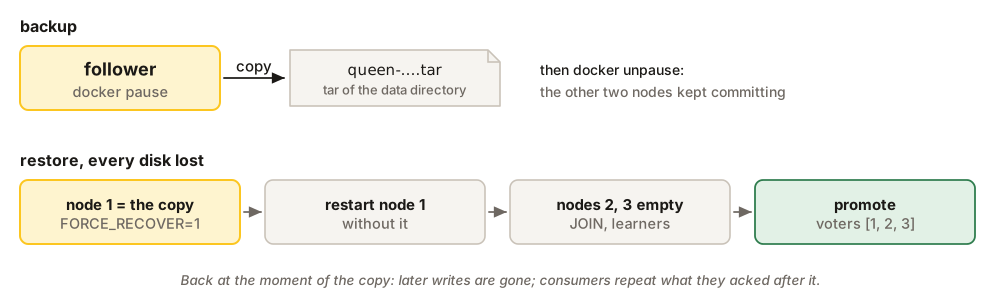
The copy must be taken at one instant, like the state a power cut leaves behind, which Queen survives. Pause the container, copy, and resume. On a cluster, pause a follower: the other two keep committing without it.
docker pause queen
tar -C /var/lib/queen -cf /backup/queen-$(date -u +%Y%m%dT%H%MZ).tar .
docker unpause queen
A snapshot of the volume (a cloud disk snapshot, LVM, ZFS) is also taken at one instant, and works while the node runs. A plain cp or rsync of a running node does not: its files are copied at different moments.
To restore a single node, stop it, unpack the copy into an empty directory, and start it. To restore a whole cluster, unpack the copy as node 1’s directory, start node 1 alone with QUEEN_RAFT_FORCE_RECOVER=1, restart it without, and let the others join it empty, as above. We did exactly that: every message pushed before the copy was back, and the one pushed after it was not. If the copy comes from a node that was force-recovered once, move raft/force_recovered.json out of the restored directory first, or node 1 refuses a second recovery.
Two things are never in a backup: ephemeral queues, which live in memory, and the settings, among them QUEEN_RAFT_TOKEN and QUEEN_ENCRYPTION_KEY. Keep those apart, with the same care.