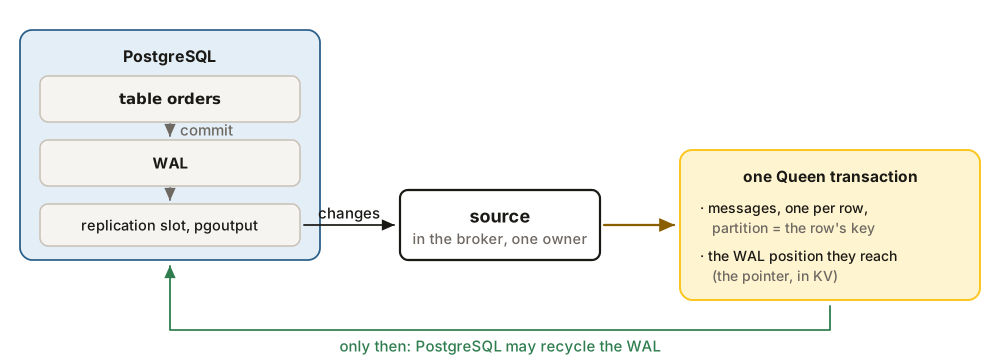
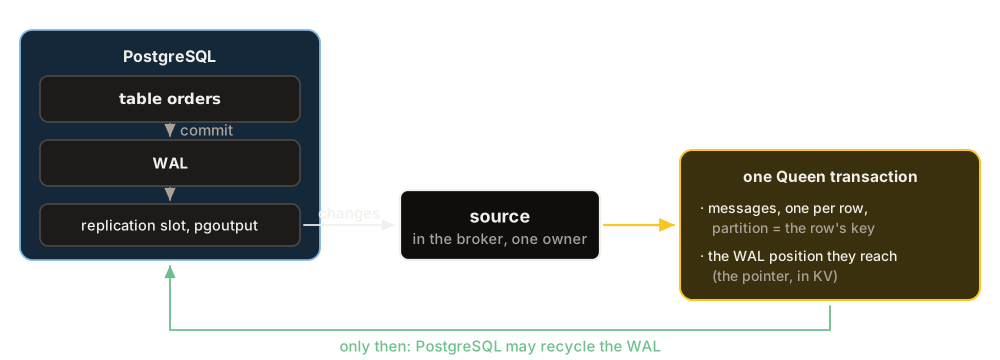
The broker can stream a PostgreSQL table into a queue, and a queue into a table, with no other process. The source reads committed changes through logical replication and turns each one into a message, in a partition named after the row’s key, in commit order. The sink is a consumer group the broker runs for you, and it writes every message into a table. Each one is set up with one HTTP call, runs on every node of a cluster, and gives exactly-once effects.
The source
The broker needs QUEEN_ENCRYPTION_KEY, because it stores the database password sealed with that key. PostgreSQL needs version 17 or later and wal_level=logical. Take a table with two rows:
docker exec -i pg psql -U postgres <<'SQL'
CREATE TABLE orders (
  id         bigint PRIMARY KEY,
  customer   jsonb NOT NULL,
  status     text NOT NULL,
  total      numeric(12,2) NOT NULL,
  created_at timestamptz NOT NULL DEFAULT now()
);
INSERT INTO orders (id, customer, status, total) VALUES
  (1, '{"name": "Ada", "tier": "gold"}', 'new', 42.00),
  (2, '{"name": "Linus", "tier": "silver"}', 'new', 17.50);
SQL
Create the source:
curl -s -X PUT localhost:6632/api/v1/connectors/orders-src \
  -H 'content-type: application/json' -d '{
  "kind": "source",
  "connection": {"host": "pg", "database": "postgres", "user": "postgres",
                 "password": "secret", "sslMode": "disable"},
  "source": {"tables": [{"table": "public.orders", "queue": "orders"}]}
}' >/dev/null
curl -s localhost:6632/api/v1/connectors/orders-src \
  | jq -c '.status | {phase, pointerLsn, messages}'
{"phase":"streaming","pointerLsn":"0/17F85F0","messages":2}
Within a few seconds the source made a publication and a replication slot, copied the two rows already there, and started streaming. Each row is a message in the partition named after its key:
Q='batch=10&partitions=10&consumerGroup=reader&subscriptionMode=all'
curl -s "localhost:6632/api/v1/pop/queue/orders?$Q" | jq -c '.messages[0].data'
{"op":"r","table":"public.orders","key":{"id":1},
 "after":{"id":1,"customer":{"name":"Ada","tier":"gold"},"status":"new","total":42.00,
          "created_at":"2026-10-24T10:24:22.156265+00:00"},
"before":null,"lsn":"0/17F85F0","ts":"2026-10-24T10:24:22.823535Z","seq":0}| Field | Example | What it is |
|---|---|---|
op |
r | c insert, u update, d delete, r a row copied at the start. |
key, after, before |
The row’s key, the new row (null for a delete), the old key for a delete. |
|
lsn, xid |
0/17F85F0 | The commit position in the WAL, and the PostgreSQL transaction. |
ts, seq |
The commit time, and the change’s place inside its transaction. |
Then we changed the table: one update, then an insert and a delete in one transaction. The insert and the delete arrived with the same lsn and xid, in one Queen transaction, so no consumer could see one without the other. Each message id is built from the change’s place in the WAL (pg:0a238c4b:00000000017F8830:0), so it is the same however many times it is sent.
The sink
A sink in cdc mode applies the source’s events to another table:
docker exec pg psql -U postgres -c 'CREATE TABLE orders_copy (LIKE orders INCLUDING ALL);'
curl -s -X PUT localhost:6632/api/v1/connectors/orders-copy \
  -H 'content-type: application/json' -d '{
  "kind": "sink",
  "connection": {"host": "pg", "database": "postgres", "user": "postgres",
                 "password": "secret", "sslMode": "disable"},
  "sink": {"queue": "orders", "table": "public.orders_copy", "mode": "cdc"}
}' >/dev/null
docker exec pg psql -U postgres \
  -c 'SELECT id, customer, status, total FROM orders_copy ORDER BY id;'
 id |             customer              | status | total
----+-----------------------------------+--------+-------
  1 | {"name": "Ada", "tier": "gold"}   | paid   | 42.00
  3 | {"name": "Grace", "tier": "gold"} | new    | 99.90
A sink also writes plain messages. In upsert mode each top-level key of the message goes to the column of the same name, keys with no column are ignored, and a column the message does not name keeps its value. We pushed a message with id 7, a customer, a total of "12.50" and a note with no column, then {"id":7,"total":15}. The row ended with the customer of the first message and a total of 15.00, and a generated column filled the city from the customer’s address.
| Mode | Each message |
|---|---|
| append | is inserted as a new row |
| upsert | is inserted, or updates the row with its key, with the columns it names |
| cdc | is a source event, applied: insert or update, delete, truncate |
| sql | runs your statement, with parameters taken from the message |
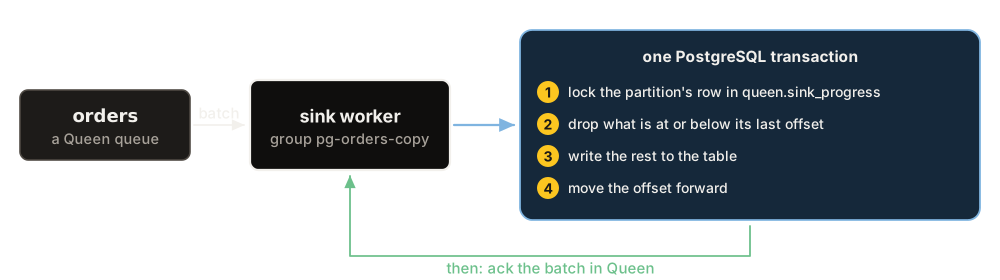
queen.sink_progress). A message that comes back after a lost ack finds its offset already there, and is skipped. So even a statement that is not idempotent runs exactly once per message.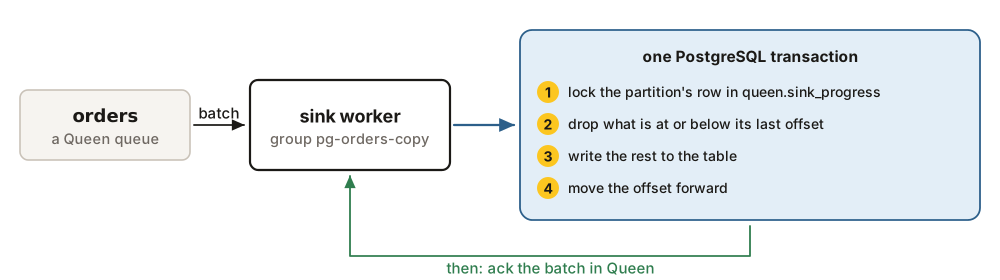
Four things to know
- A replication slot keeps WAL while the source is down, and can fill the database’s disk. Set
max_slot_wal_keep_size, and alert onqueen_pg_source_slot_lag_bytes. - Every source table needs a key in the WAL: a primary key, or a unique index as replica identity. A table without one is refused.
- A message PostgreSQL refuses (a constraint, a wrong type) is tried a few times, then dead-lettered with the database’s error, and its partition goes on.
- Keep the table’s key aligned with the partition in
upsertandcdcmode. Order holds inside a partition, so two partitions writing one row would race.