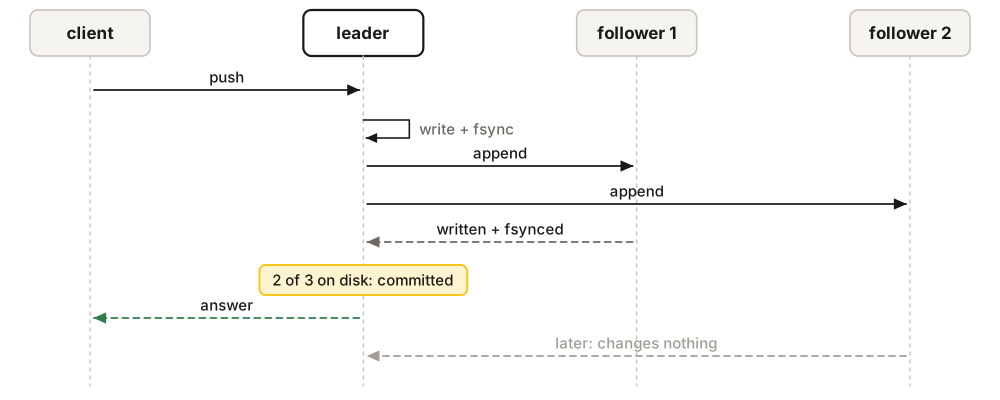
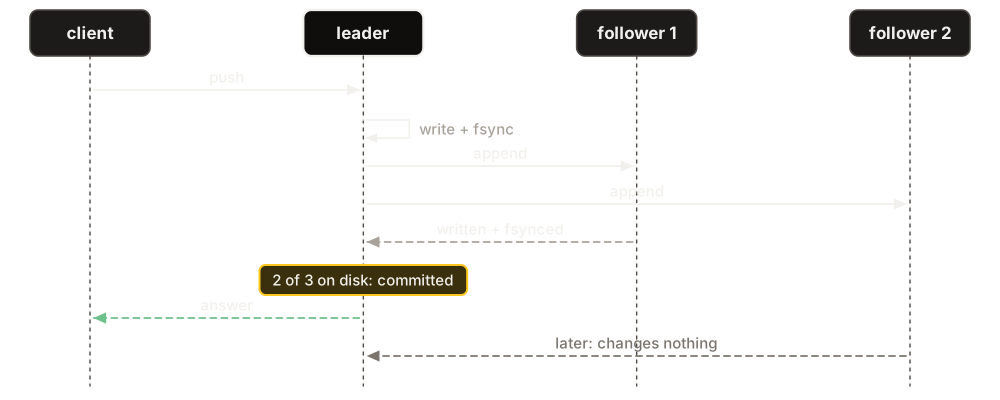
A cluster is three copies of the same broker, each on its own machine, each told where the other two are. Together they keep one log. The leader puts every write in that log and sends it to the others, and a write is answered only when a majority of the nodes (two of three) has it on disk. Any node serves any client: it prepares the work of its own clients and sends the leader only the prepared command.
Try it on one machine
The repository has a Compose file that runs three nodes on your laptop, each with its own volume. Give the nodes a shared secret, start them, and ask each one what it is:
cd deploy/compose/three-node        # in a clone of github.com/queen-mq/queen
echo "QUEEN_RAFT_TOKEN=$(openssl rand -hex 32)" > .env
docker compose up -d --wait
for n in 1 2 3; do
  echo "queen-$n $(curl -s localhost:${n}6632/health | jq -r .raft.role)"
done
queen-1 follower
queen-2 follower
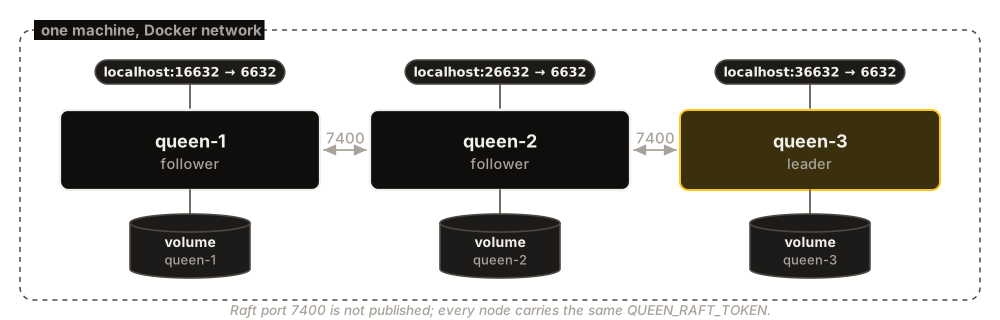
queen-3 leaderThe three nodes started empty, voted, and node 3 won. --wait returns when every node is healthy, a few seconds on a laptop. Node N answers on port N6632 (16632, 26632, 36632), API and dashboard alike. The raft port, 7400, where the nodes talk to each other, is not published at all.
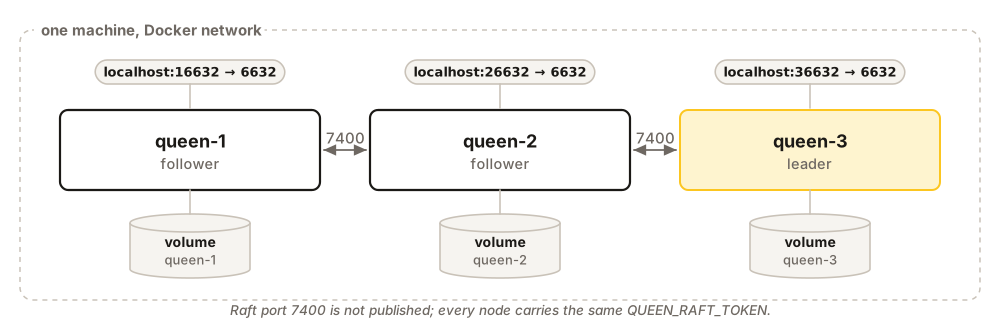
Now give a client all three addresses. It spreads its requests over the nodes, and when one does not answer it moves to the next:
const queen = new Queen({
  urls: ['http://localhost:16632', 'http://localhost:26632', 'http://localhost:36632'],
})
Every SDK takes a list of URLs the same way (Client SDKs). With node 1 stopped, ten pushes through this client took 64 ms in total, and a consumer read all twenty messages, the ten pushed before the stop included.
Stop the leader
docker compose stop queen-3          # the node that said leader
for n in 1 2; do
  echo "queen-$n $(curl -s localhost:${n}6632/health | jq -r .raft.role)"
done
queen-1 follower
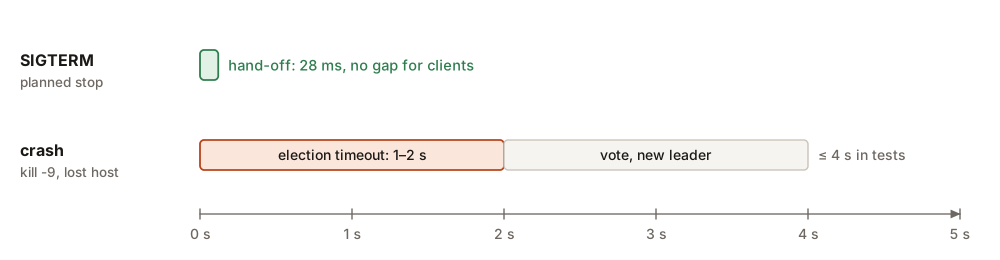
queen-2 leaderNode 2 leads now. Node 3’s log says how long the change took:
INFO rsm: raft: leadership handed off to=2 ms=28Start node 3 again. It gets the writes it missed from the new leader:
docker compose up -d --wait queen-3
curl -s localhost:36632/health | jq -c '.raft | {role, applied, commit, lag}'{"role":"follower","applied":56,"commit":56,"lag":0}applied equal to commit means node 3 has caught up. docker compose down -v removes the containers and their volumes when you are done.
Three machines
Three containers on one laptop all die with the laptop, so the Compose file is only for trying things. In production each node gets its own machine, on a private network. On each machine, run the same command with that machine’s address and node number. Here are the commands for node 1:
TOKEN=...              # openssl rand -hex 32, made once: the same secret on every node
PEERS="1=10.0.0.11:7400/10.0.0.11:6632"
PEERS="$PEERS,2=10.0.0.12:7400/10.0.0.12:6632"
PEERS="$PEERS,3=10.0.0.13:7400/10.0.0.13:6632"

docker run -d --name queen --hostname queen-1 \
  --restart unless-stopped --stop-timeout 60 \
  -p 10.0.0.11:6632:6632 -p 10.0.0.11:7400:7400 \
  -v /var/lib/queen:/var/lib/queen/raft \
  -e QUEEN_RAFT_REPLICATOR=openraft \
  -e QUEEN_RAFT_NODE_ID=1 \
  -e QUEEN_RAFT_PEERS="$PEERS" \
  -e QUEEN_RAFT_TOKEN="$TOKEN" \
ghcr.io/queen-mq/queen:2.6.0| Setting | Default | What it does |
|---|---|---|
QUEEN_RAFT_REPLICATOR |
local | openraft makes the node a member of a cluster. |
QUEEN_RAFT_NODE_ID |
1 | This node’s number: 1, 2, 3. A different number on each node. |
QUEEN_RAFT_PEERS |
unset | Every node as id=raft address/HTTP address. The same list on every node. |
QUEEN_RAFT_TOKEN |
unset | The secret the nodes show each other. Unset, anyone who reaches port 7400 can vote. |
QUEEN_RAFT_DIR |
/var/lib/queen/raft | This node’s data. One directory per node, never shared. |
The Docker flags matter too. --stop-timeout 60 gives a stopping node time to hand over its work (Docker’s default of 10 seconds can kill it halfway). --restart unless-stopped brings a node back after a crash, and after the one planned exit a node makes: when it was away so long that the leader sent it a snapshot, it exits with code 75 and loads the snapshot when it starts again. --hostname gives the node a stable name in the logs and the dashboard.
Five things to know
- The addresses are fixed at the first start. They are stored in the log. Changing a host name or an IP under a running cluster cuts the nodes off from each other: put the old addresses back, or run a forced recovery. Use addresses that do not change.
- Keep both ports private. Port 6632 has no authentication unless you turn it on (see Configuration for different use cases), and port 7400 is plain HTTP with a shared token. Neither should face the internet.
- One node does not grow into a cluster. To go from one node to three, start a new cluster beside the old one and move the clients to it.
- Give every node the same disk size. A node refuses its own clients’ writes at 85% full, but writes accepted by the other nodes keep arriving until its disk is full.
- Run NTP on every machine. Leases are timed on the leader’s clock, and they stay exclusive across a leader change only while the clocks agree within half a second.