Docker and five minutes. At the end you have a PostgreSQL, a broker, and one message that went in and came out. There is no schema to migrate and no extension to install: the broker embeds its DDL and its stored procedures, and applies them at boot.
Start a broker
-
A network, so the broker can reach PostgreSQL by name.
docker network create queen -
PostgreSQL. Any one the broker can reach works. The password has to match the next step.
docker run -d --name queen-pg --network queen -e POSTGRES_PASSWORD=postgres postgres:16 -
The broker.
PG_USERandPG_DATABASEboth default topostgres, so host, port and password are enough. It listens onPORT, default6632.--restart on-failure:10covers the seconds PostgreSQL spends initialising on its first boot: the broker refuses to start against a database it cannot reach, and Docker brings it back as soon as it can.docker run -d --name queen --restart on-failure:10 --network queen -p 6632:6632 -e PG_HOST=queen-pg -e PG_PORT=5432 -e PG_PASSWORD=postgres ghcr.io/queen-mq/queen:latest -
Check it.
/healthtakes a connection from the pool and does a real round-trip, so a healthy answer means both processes work.curl -s http://localhost:6632/health{"status":"healthy","database":"connected","engine":"segments-rust","version":"1.2.1"}An empty answer on the first try means the broker is still waiting for PostgreSQL. Run it again a second later. If it is still empty after a few tries,
docker logs queensays why.
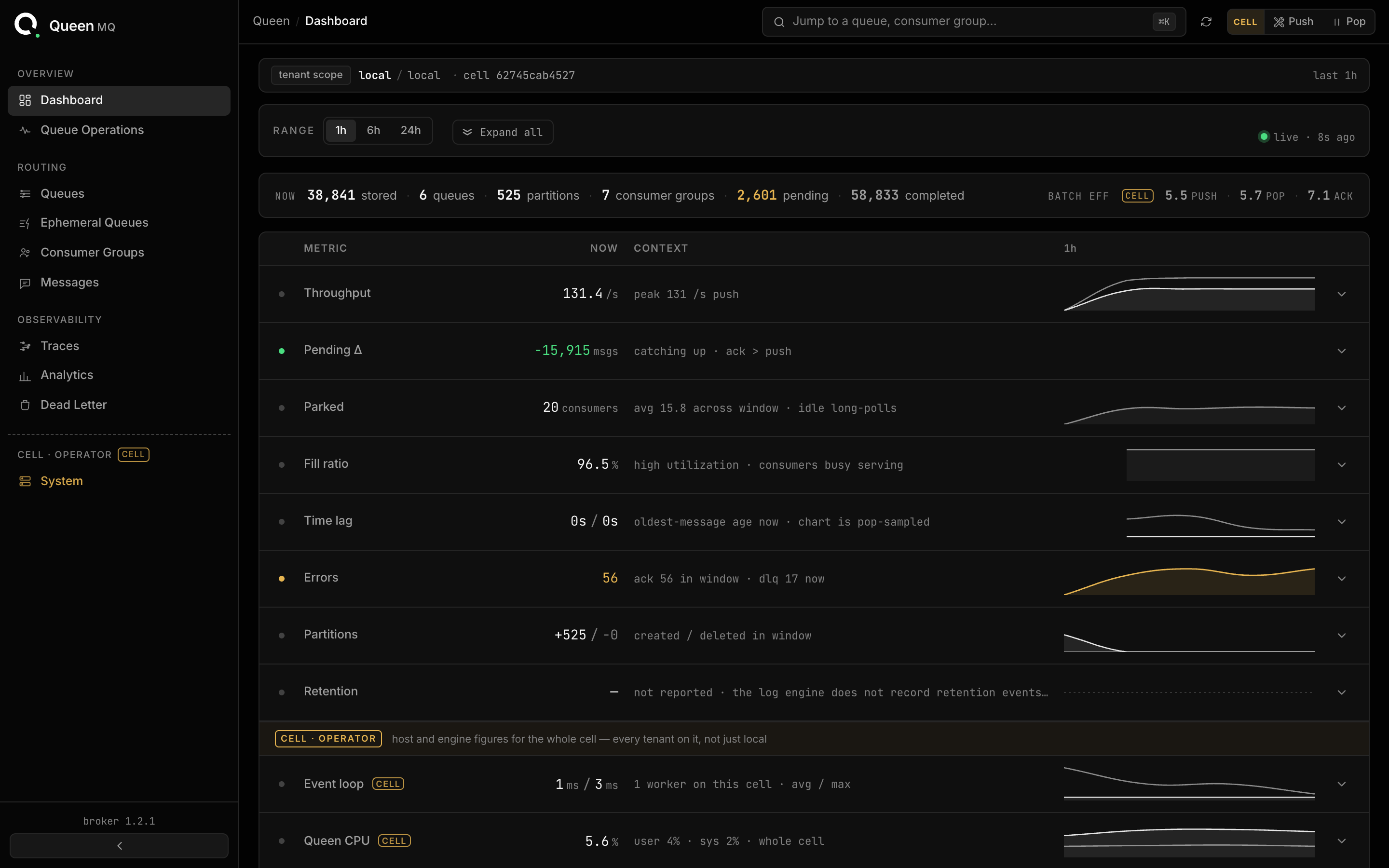
The same binary serves its dashboard on the same port: open http://localhost:6632.
Push and consume
Nothing to create first: the queue and the partition are provisioned by the first push that names them. The only decision is the partition key, the thing whose events must stay in order.
npm i queen-mqyarn add queen-mqpnpm add queen-mqbun add queen-mqimport { Queen } from 'queen-mq'
const client = new Queen('http://localhost:6632')const res = await client
.queue('orders')
.partition('customer-42')
.push([{ data: { orderId: 9137, amount: 99.5 } }]).group('billing') names the cursor that remembers what this consumer has seen.
.subscriptionMode('all') points a new cursor at the beginning instead of the tail, and
.limit(1) stops the loop after one message.
await client
  .queue('orders')
  .group('billing')
  .subscriptionMode('all')
  .limit(1)
  .each()
  .consume(async (message) => {
    console.log(message.data)
  })
For the raw pop, without the managed loop:
const messages = await client
  .queue('orders')
  .batch(10)
  .wait(true)
  .pop()
curl -i -X POST http://localhost:6632/api/v1/push -H 'Content-Type: application/json' -d '{"items":[{"queue":"orders","partition":"customer-42","payload":{"hello":"world"}}]}'[{"index":0,"message_id":"019842f1-...","transaction_id":"019842f1-...","queueName":"orders","status":"queued"}]curl -i "http://localhost:6632/api/v1/pop/queue/orders?batch=1&wait=true&consumerGroup=demo&subscriptionMode=all"That pop took a lease: the span belongs to this group until you acknowledge it or the lease
expires. Acknowledge with the transactionId and partitionId from the message, plus the
leaseId:
curl -i -X POST http://localhost:6632/api/v1/ack -H 'Content-Type: application/json' -d '{"transactionId":"019842f1-...","partitionId":"6b1c...","status":"completed","consumerGroup":"demo","leaseId":"019842f1-..."}'An empty pop answers 204 with no body at all, so branch on the status code before parsing.
The wire format is in the HTTP reference.
Two things worth doing before you move on
- Push twice with the same
transactionId. The second returnsstatus: "duplicate"and the first message’s id, having written nothing. - Pop with a second consumer group. It gets the same message again, from its own cursor. Groups are fan-out.
Clean up
docker rm -f queen queen-pg && docker network rm queen